Chromateq

NODE PoE

FAST ART-NET TO DMX-RDM CONVERTOR

CLUB PoE Ethernet to DMX-RDM interface with two XLR ports

NODE PoE is a high performance Art-Net 4 and sACN to DMX converter that decodes network lighting signals into 2 DMX-512/RDM universes with up to 512 unit network discovery. It runs on Power over Ethernet (PoE, IEEE 802.3af/at, modes A and B, 10-100 Mbps), delivering data and power through a single RJ45 cable for Professional installations and uses, or on USB-C or DC input.

NODE PoE accepts Art-Net 4 or sACN from any computer, DMX consoles, or DMX desks over UDP, in unicast, broadcast, or multicast, with Fix IP or DHCP addressing. It supports HTP/LTP/LowTP merging from multiple sources, plus configurable default DMX output values for when signal is loose.

NODE PoE is configured via a web browser (any  OS or mobile), the DEVICETOOL software (Win, Mac) or the Wi-Light app (Android, iOS), over USB or Ethernet.

NODE PoE is the perfect, efficient and reliable platform for communications between DMX, Art-Net and sACN.

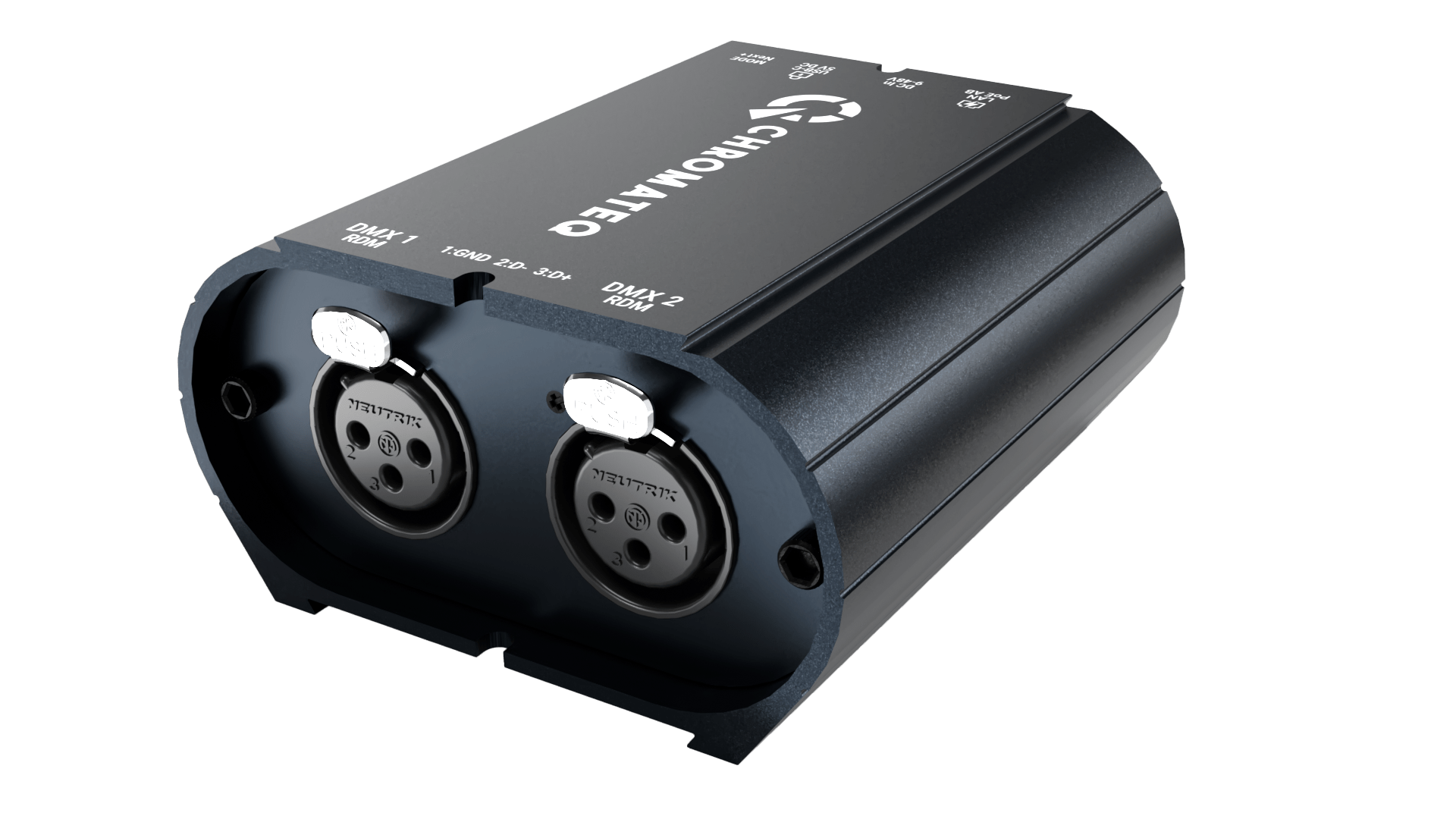
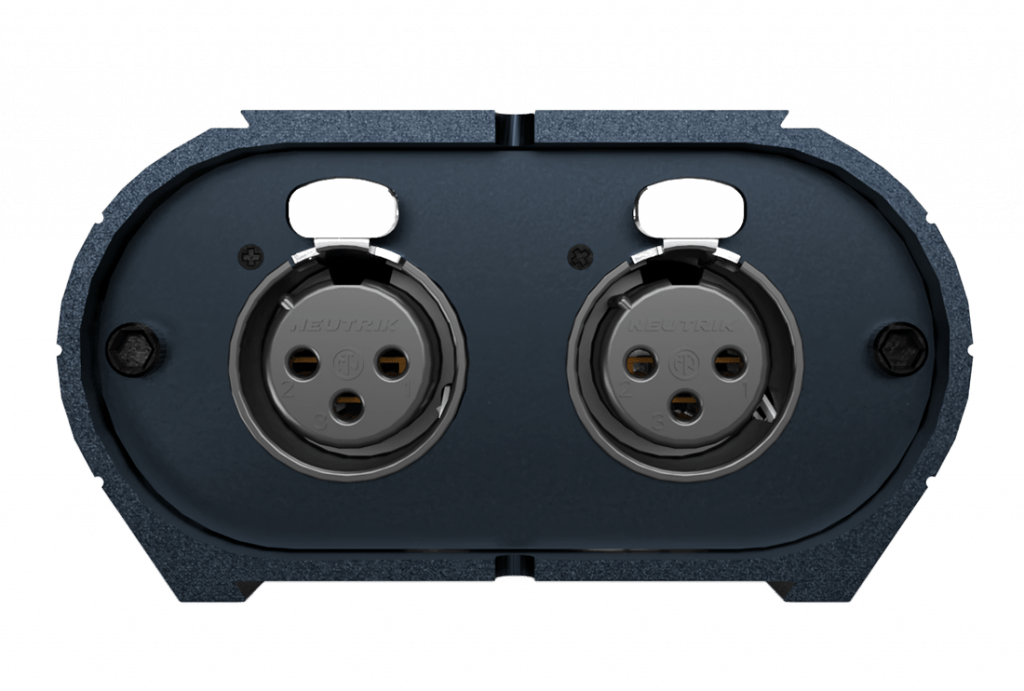
CLUB PoE front panel: DMX 1 and DMX 2 XLR connectors

XLR
1. Ground
2. Data -
3. Data +

XLR
1. Ground
2. Data -
3. Data +
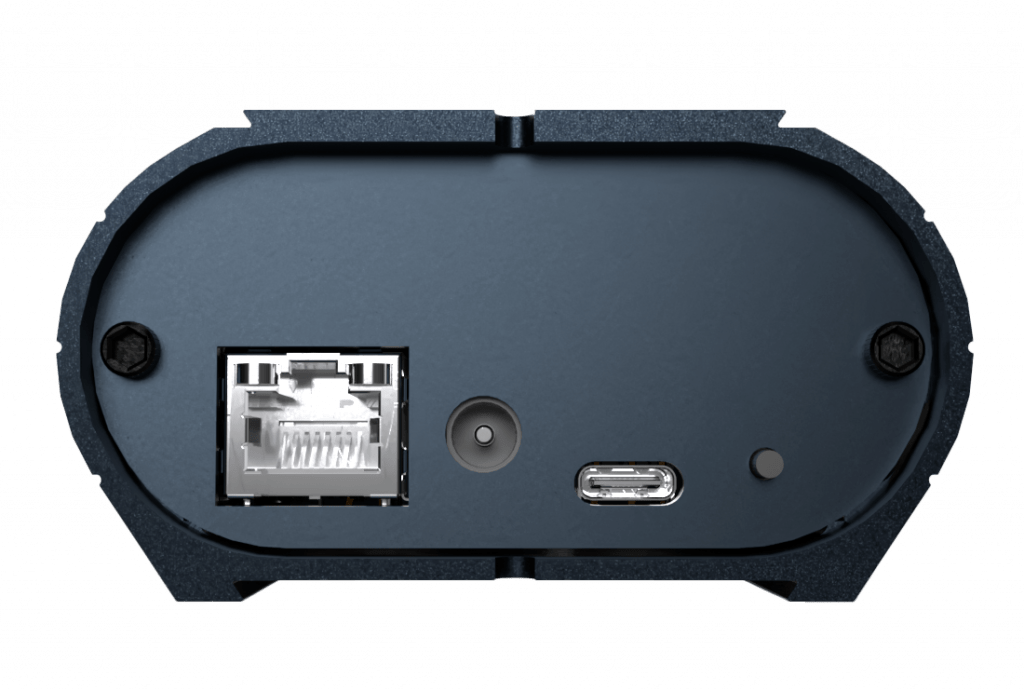
CLUB PoE rear panel: RJ45 PoE, 9-48 V DC jack, button and USB-C

RJ45 connector
PoE: A and B

Power supply 9-48V
DC input jack

Button
NEXT scene or NODE mode selection (hold 5s)

USB-C
5V. DC, 0.2A

Ethernet PoE icon

Ethernet PoE / LAN / WLAN

Easy and fast communication anywhere on Local Networks with DHCP or static IP. Supports Power over Ethernet 100 Mbps (IEEE 802.3af/at PoE A & B) for power and data through a RJ45 cable. Control over WIFI routers and Ethernet port connected.

Art-Net and sACN to DMX icon

Art-Net 4, sACN to DMX

Easy Art-Net 4/sACN-to-DMX decoding/conversion/node functionality in a single device (no need for a separate decoder) and compatible with any data source from the professional lighting industry.

Easy configuration

Simply connect your NODE PoE to the computer's USB or Ethernet port to set it up with the DEVICETOOL, a Web browser or with the Wi-Light app when connected to a WIFI access point.

RDM-DMX icon

Compatible RDM-DMX

Includes 2 DMX Out supporting 512 RDM channels. Can transmit data in both directions with all RDM-DMX compatible equipments.

PoE, DC and USB-C power icon

Triple‑power

By USB, DC input or PoE — the NODE PoE delivers flexible, professional‑grade power options for any installations.

5-year warranty icon

International Warranty

2 years of international warranty.
Worldwide technical support.
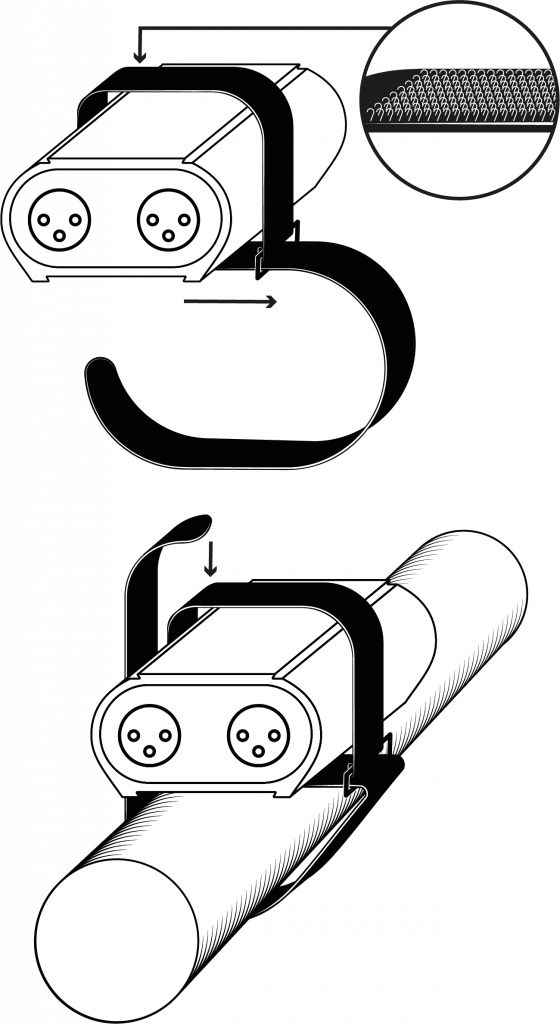
One mounting Strap included in the package and available in 3 or 5 pins XLR.

Discover and compare Chromateq devices.

NODE PoE Wiring diagram

Main Features

HARDWARE

NODE PoE

Retail Price (excluding VAT)

€259 / $299

DMX output

2x512 DMX-RDM

Ethernet (10-100 Mbs) 100BASE-TX, IEEE 802.3af/at

Yes (PoE A and B, LAN)

Supported Data

Art-Net, sACN, 2 Universes (2x512), RDM

Inputs

DMX 2x512, USB-C, RJ45 Ethernet

Network and communications

TCP/UDP, Broadcast, Unicast, multicast, Fix IP, DHCP

Configuration and setting

Web browser, Devicetool, Wi Light APP

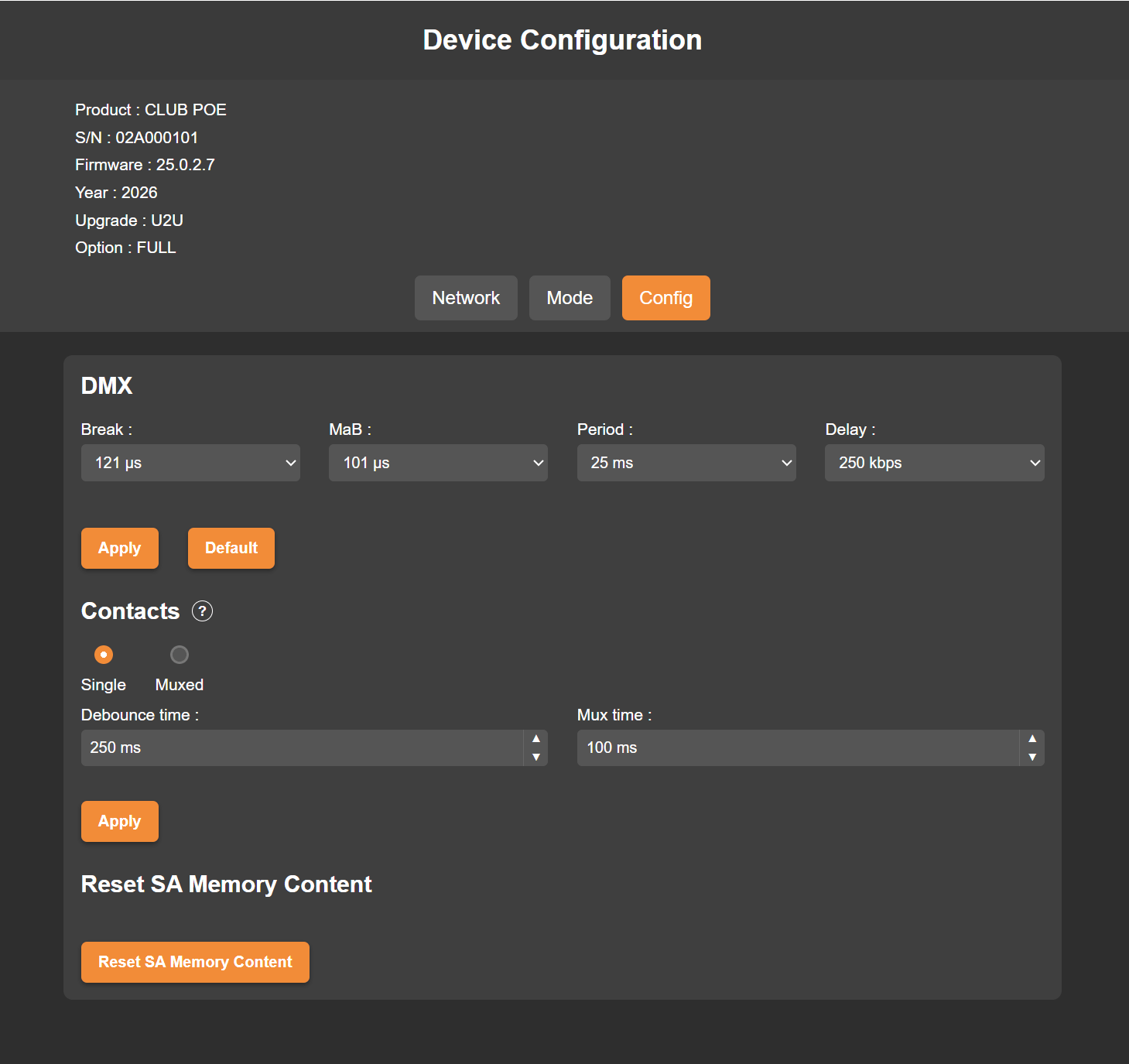
Additional options, Actions when input signal stop

Merge (HTP, LTP, LowTP), Freeze, blackout, no DMX

Button

1 Mode selection (hold 5s)

Max connected devices and discovery

512 Broadcast, 3072 Unicast

USB-C compliant (Power, detection)

Yes (5V. DC, 0.3A)​

RDM (dual DMX data directions, DMX addressing)​

Yes

Upgradable on site

Yes, CLUB PoE, PRONET-E, UxU (add Art-Net universes)​

Stand-alone mode

Yes if upgraded to CLUB PoE

Zone (Scene play a time)

5 if upgraded to CLUB PoE

Memory Step capacity

64 Mb if upgraded to CLUB PoE

Max Scene capacity

512 if upgraded to CLUB PoE

Wi-Light APP Remote, Commands, Configuration

Yes if upgraded to CLUB PoE​​

TCP/UDP triggers

Yes if upgraded to CLUB PoE​​

IP Rating

IP40

International Warranty

2 Years

Power

9-48V. DC, 5V. USB-C, 0.3A, 1.5W

Dimensions (mm / in)

H: 90 (3.54), W: 80 (3.15), D: 45 (1.77)

Weight / Operating Temperature / Certification

0.19 Kg (0.42 lb) / -40 to +85 C° / CE, RoHS, Fcc

Browser Configuration

Yes, via LAN and WIFI

Configuration Options

DEVICETOOL / WI-LIGHT / WEB BROWSER

NODE PoE

DHCP / Fix IP (LAN & Ethernet)

Yes

IP address and TCP/UDP

Yes

Subnet Mask

Yes

Modes

Art-Net, sACN, Unicast, Multicast, Broadcast (512 U.)

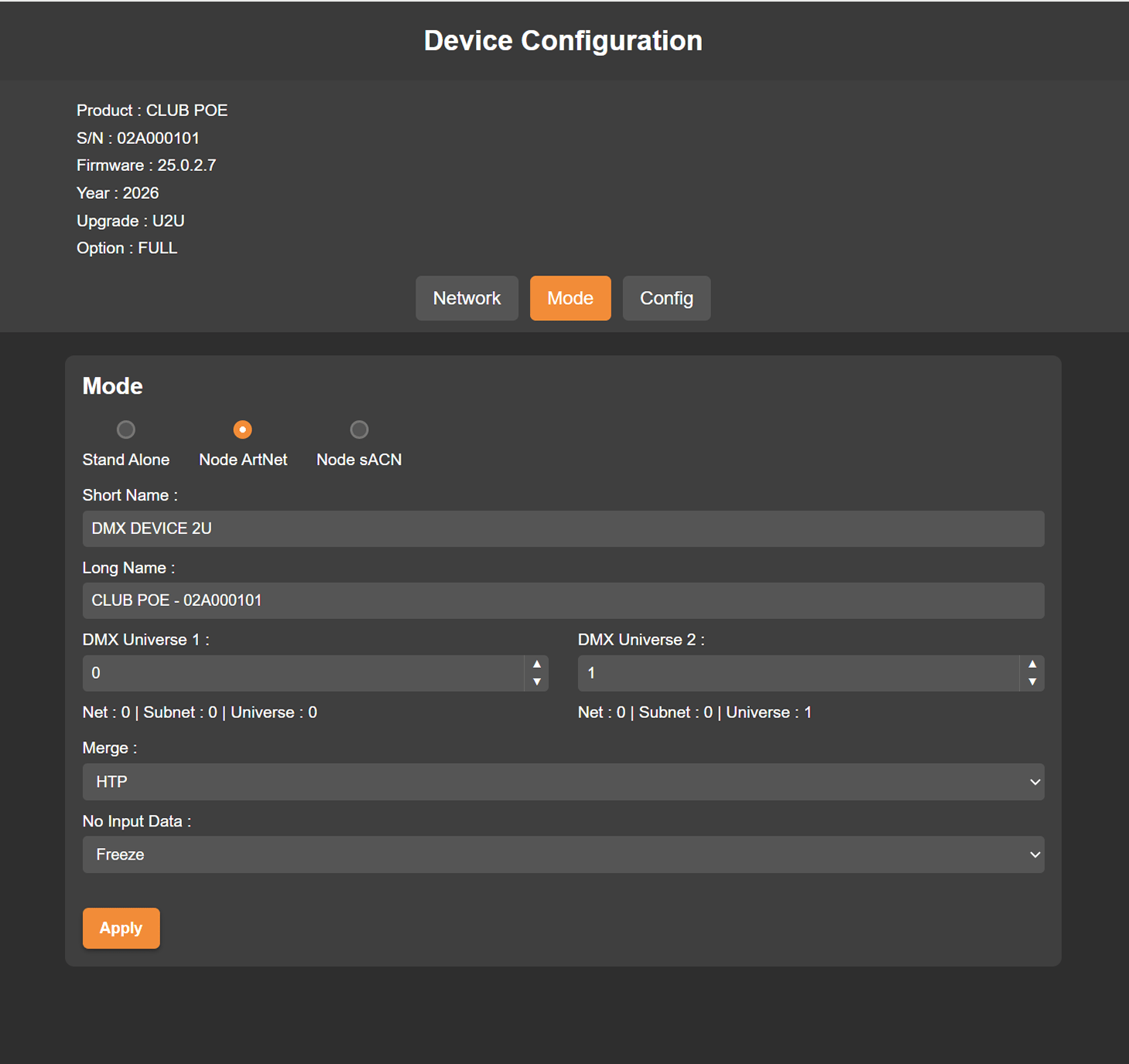
Name, Short name, Long name, Subnet, Universe

Yes

Merge modes (from différent sources and inputs)

HTP, LTP, LowTP

Time Out modes (When Art-Net signal stop)

Freeze DMX, Black out DMX, No DMX

DMX Universes choice

Yes, per output from 1 to 32767 U.

WEB BROWSER configuration

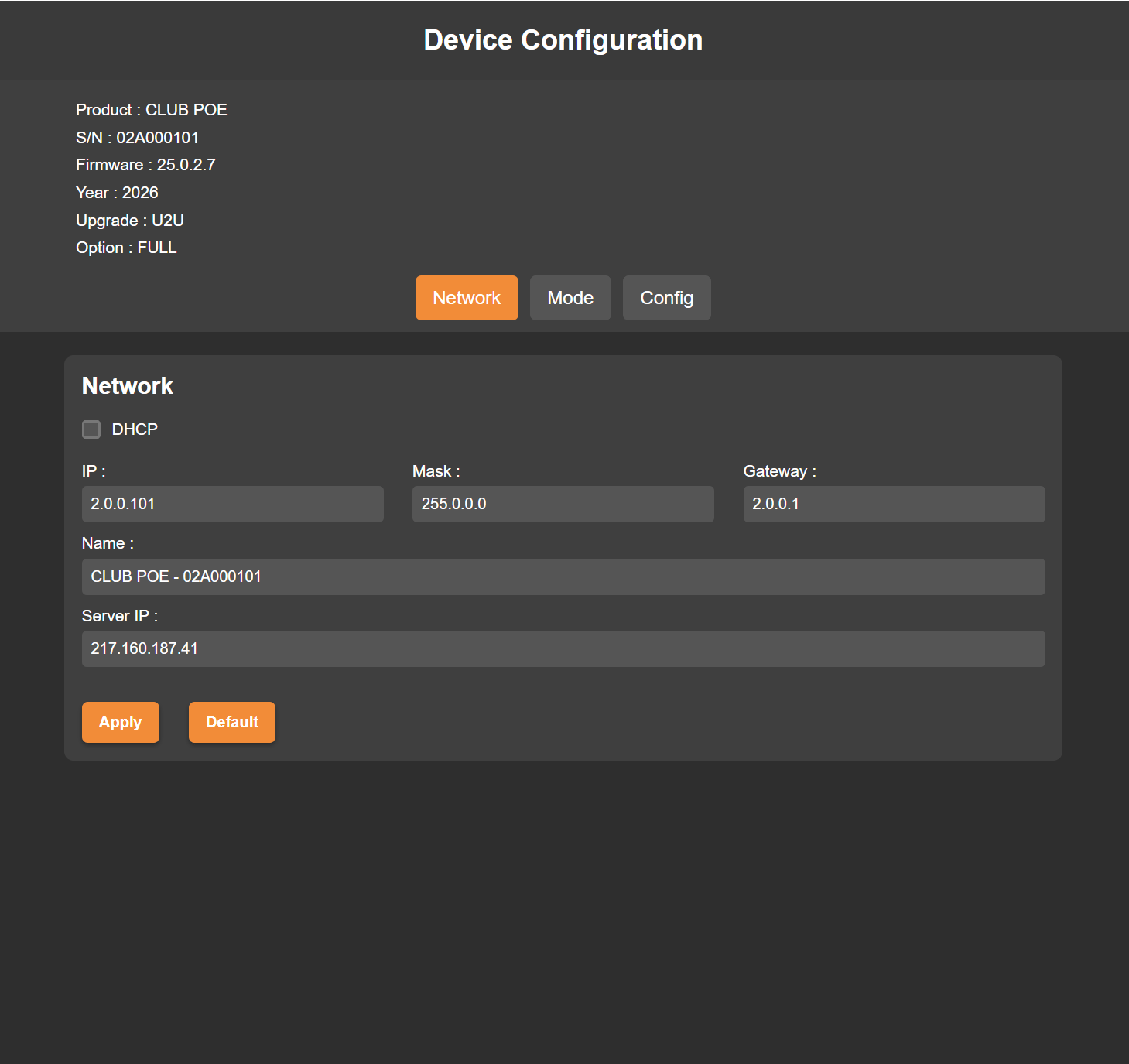
Connected by Ethernet, directly or through a Wi-Fi router, the device can be configured from any web browser.

3 ways to access it:

  • By its default IP address   –   e.g. http://192.168.0.5
  • By its serial number + .local   –   e.g. http://02a000101.local
  • By its generic name + .local   –   e.g. http://mydmxdevice.local


The device uses DHCP by default. Its default static address is 192.168.0.5 (mask 255.255.255.0): give the computer an address in the same range. Restart the device after any IP or mode change. 

Note: When several devices are connected to the same network, http://mydmxdevice.local access will open one of the device randomly.
To configure a specific unit, use its IP address or its serial number (.local).

WI-LIGHT APP configuration

When connected by WIFI, you can quickly connect your Device to the Wi-Light app and change its parameters and configuration.

DeviceTool configuration

This Device is configured with DEVICETOOL, as PRO DMX 2 does not recognise it. DEVICETOOL is included in the standard Chromateq software pack, together with the USB drivers, PRO DMX 2, PIXXEM and WI LIGHT.

When connected by USB-C or Ethernet, you can quickly configure your device in the right mode, DHCP, Fix IP, Art-Net or sACN with the DEVICETOOL on any computer Windows or Mac.

Accessories

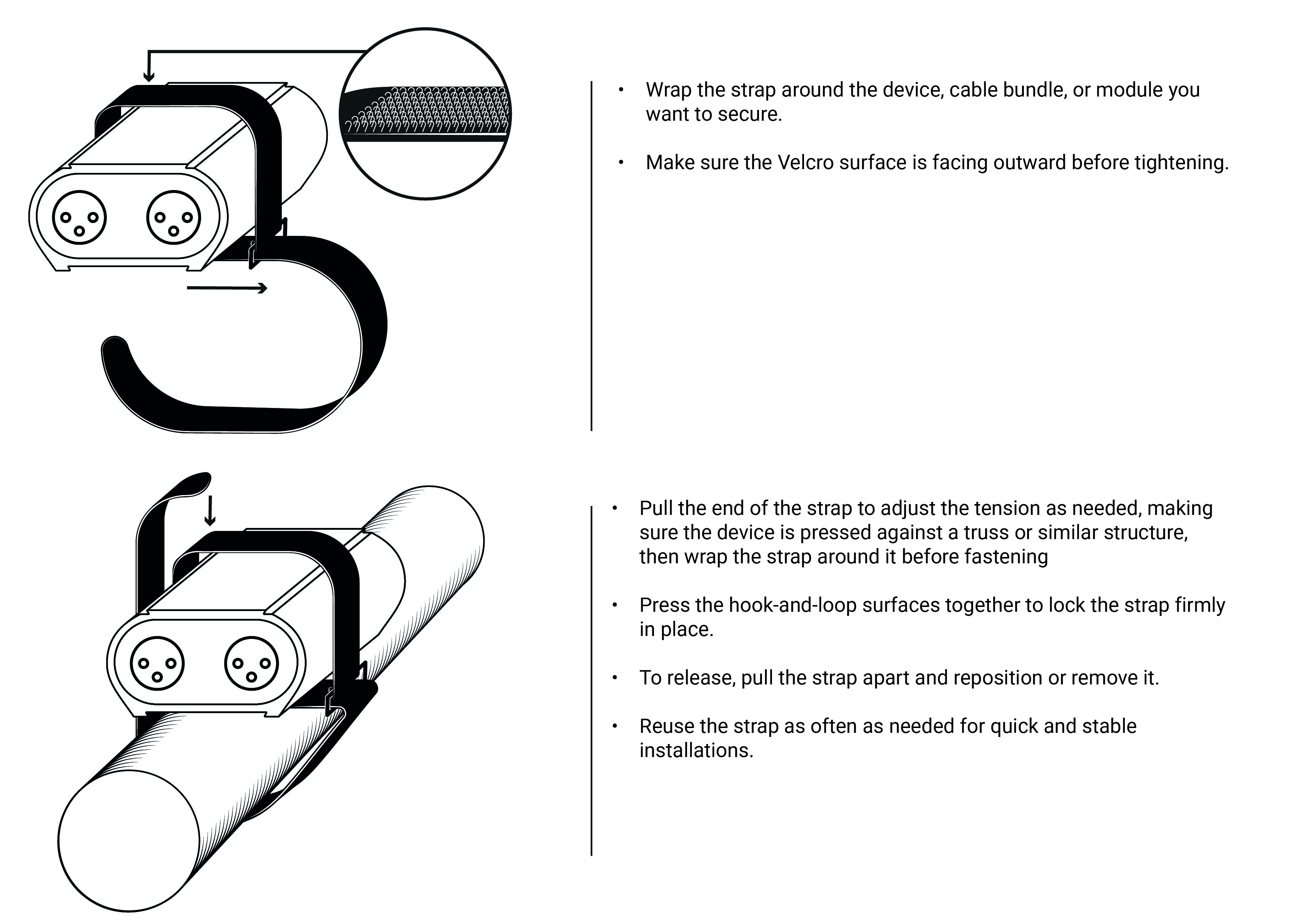
Mounting Strap

The mounting strap is a simple and practical accessory designed for quick and secure installation of your devices. Lightweight, reusable, and highly adaptable, it allows you to fasten or bundle cables and modules in seconds, no tools required.

Perfect for technicians and integrators on the move, it ensures a clean, stable, and well‑organized setup whether in a rack, flight case, or on-site installation.

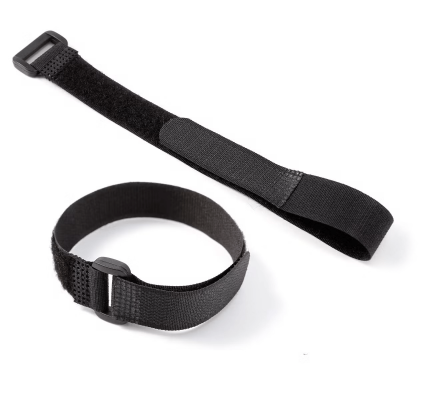
Velcro Fastener – 40 cm – Included in the following packages: NODE PoE, CLUB PoE. Sold separately: €20 (excluding VAT).

40 cm hook-and-loop mounting strap
CLUB PoE fixed with the mounting strap

DIN Kit - Universal Rail Mounting

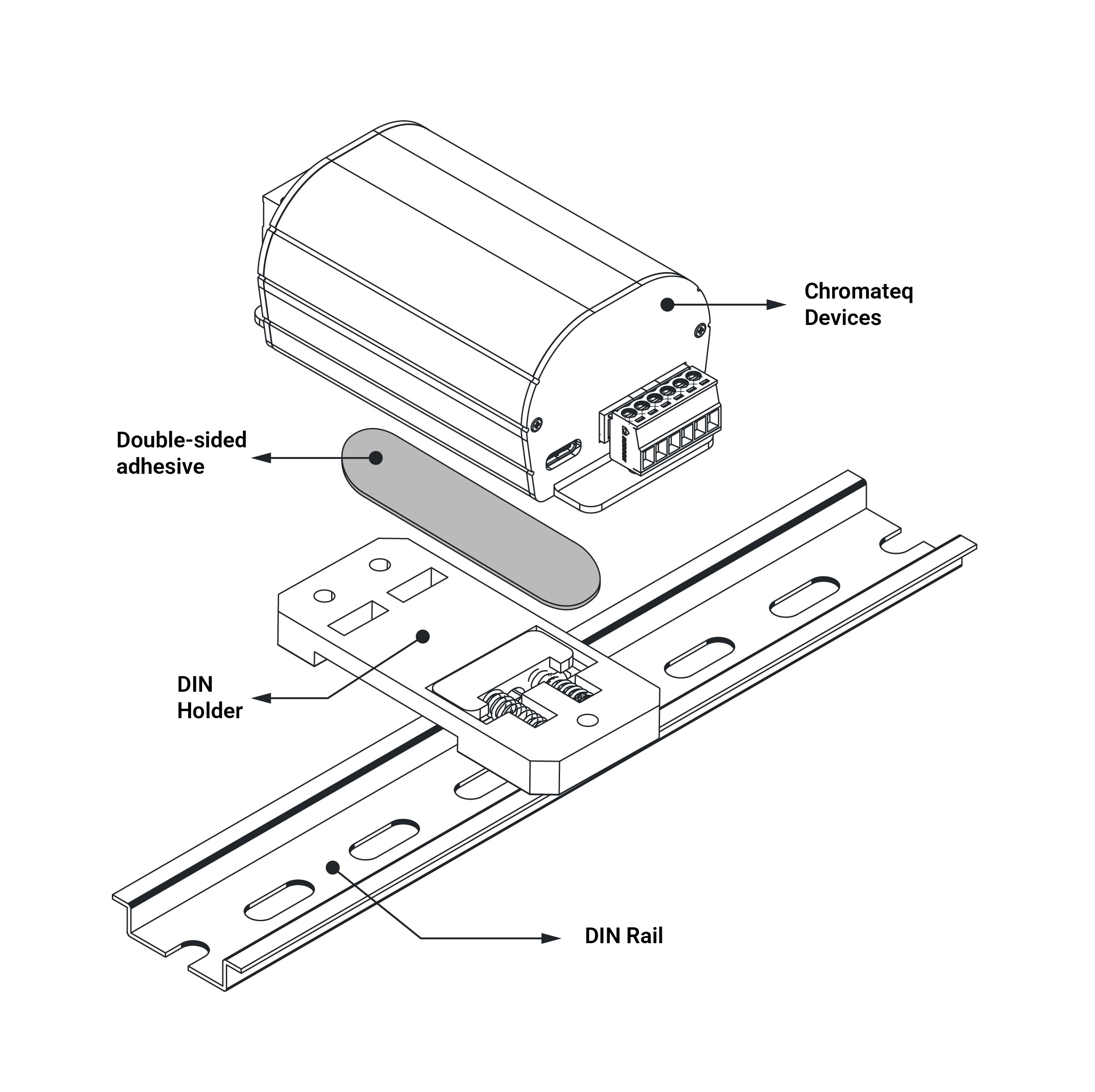
The DIN Rail Holder Kit is an easy and convenient mounting solution designed to easily attach any Chromateq devices to a standard DIN rail. Engineered for integrators, installers, and technical environments, it ensures a clean, secure, and reliable installation inside electrical cabinets, control panels, and industrial systems.

It is fully compatible with all Chromateq products, providing fast and seamless integration for projects requiring DIN rail mounting. The DIN holder is attached to the back of the case using a strong, sturdy double-sided adhesive (3M).

Available upon request when placing your order.
Price of the DIN Kit: 20€ (excluding VAT).

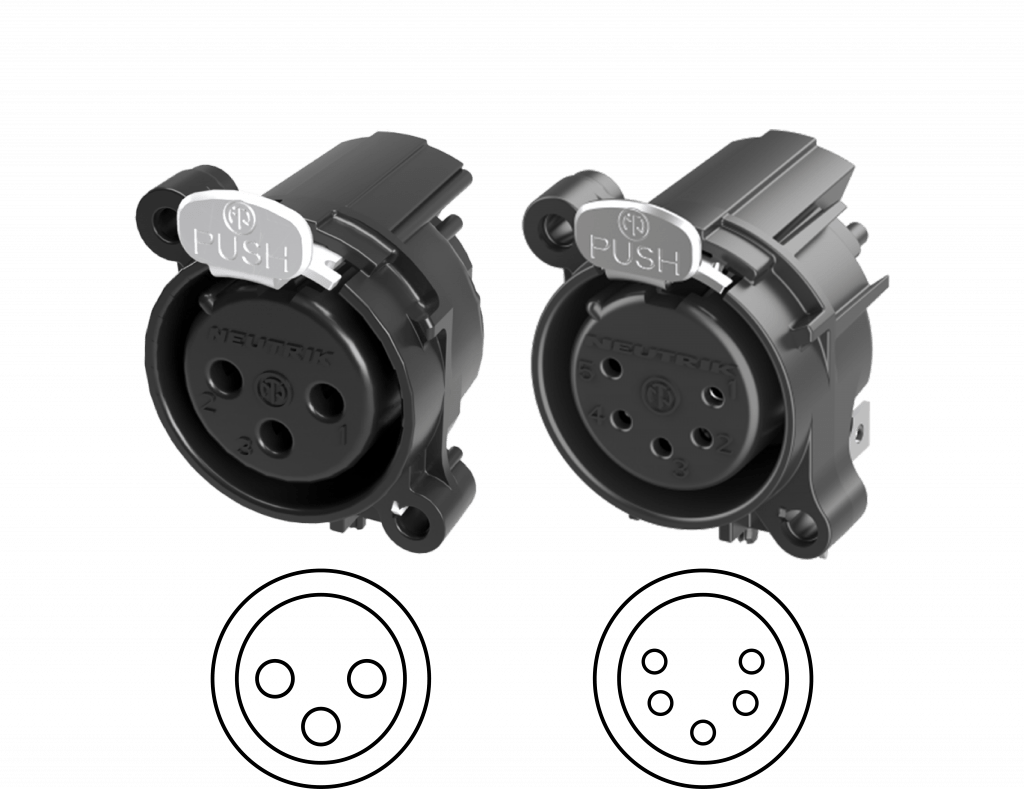
3 and 5 Pin XLR available 

All our XLR devices are equipped with a 3‑pin XLR connector, on request, each device can be supplied with a 5‑pin XLR connectors, upon request when ordering: this extends 2 to 5 days to the delivery time. XLR 5-pin must be indicated on the proforma.

Support and Download

Below you will find all the documents and files related to the NODE PoE and Chromateq lighting control products.
(Certificates, user manuals, datasheets, photos, 3D object file, and more…)

Device documentation