Chromateq

CLUB PoE

FAST PoE ETHERNET TO DMX-RDM INTERFACE
NODE · STAND ALONE

CLUB PoE Ethernet to DMX-RDM interface with two XLR ports

The CLUB PoE is an Ethernet-to-DMX lighting interface with two DMX-512 RDM ports (1,024 channels), powered over Ethernet (PoE A and B, IEEE 802.3af/at), by a 9–48 V DC input or by USB-C. It works as a live interface for PRO DMX 2 and PIXXEM, as a stand-alone controller that plays up to 5 scenes at once from 8 MB of memory, and as an Art-Net 4 / sACN to DMX node. In stand-alone mode, its ports can also send DMX to the network as Art-Net or sACN. On-site upgrades add Art-Net / sACN universes (up to 64 in PRO DMX 2 and 512 in PIXXEM), a 24-hour timeline, MIDI Time Code and SMPTE.

It replaces the CLUB-E and PRONET-E with a new generation of hardware:

  • 8 MB (64 Mbit) stand-alone memory (previously 300 KB) for larger shows, longer timelines and more complex installations without a computer.
  • 100 Mbps Ethernet for smoother network communication and better Art-Net / sACN performance.
  • 9–48 V DC input for fixed or mobile set-ups.

The CLUB PoE handles live show control, audio and video timeline synchronization and sound-to-light automation with PRO DMX 2. It also runs in stand-alone mode and can be controlled from the Wi-Light app through any Wi-Fi router on the same network.

For large installations, upgrades installed on site with DeviceTool extend the CLUB PoE: more Art-Net / sACN universes, 24-hour audio and video timeline, MIDI Time Code, PC clock events and live timeline recording. See Upgrades & Licenses.

The CLUB PoE has a brushed anodised aluminium housing and works with PRO DMX 2 and PIXXEM, as well as LED Player and Pro DMX.

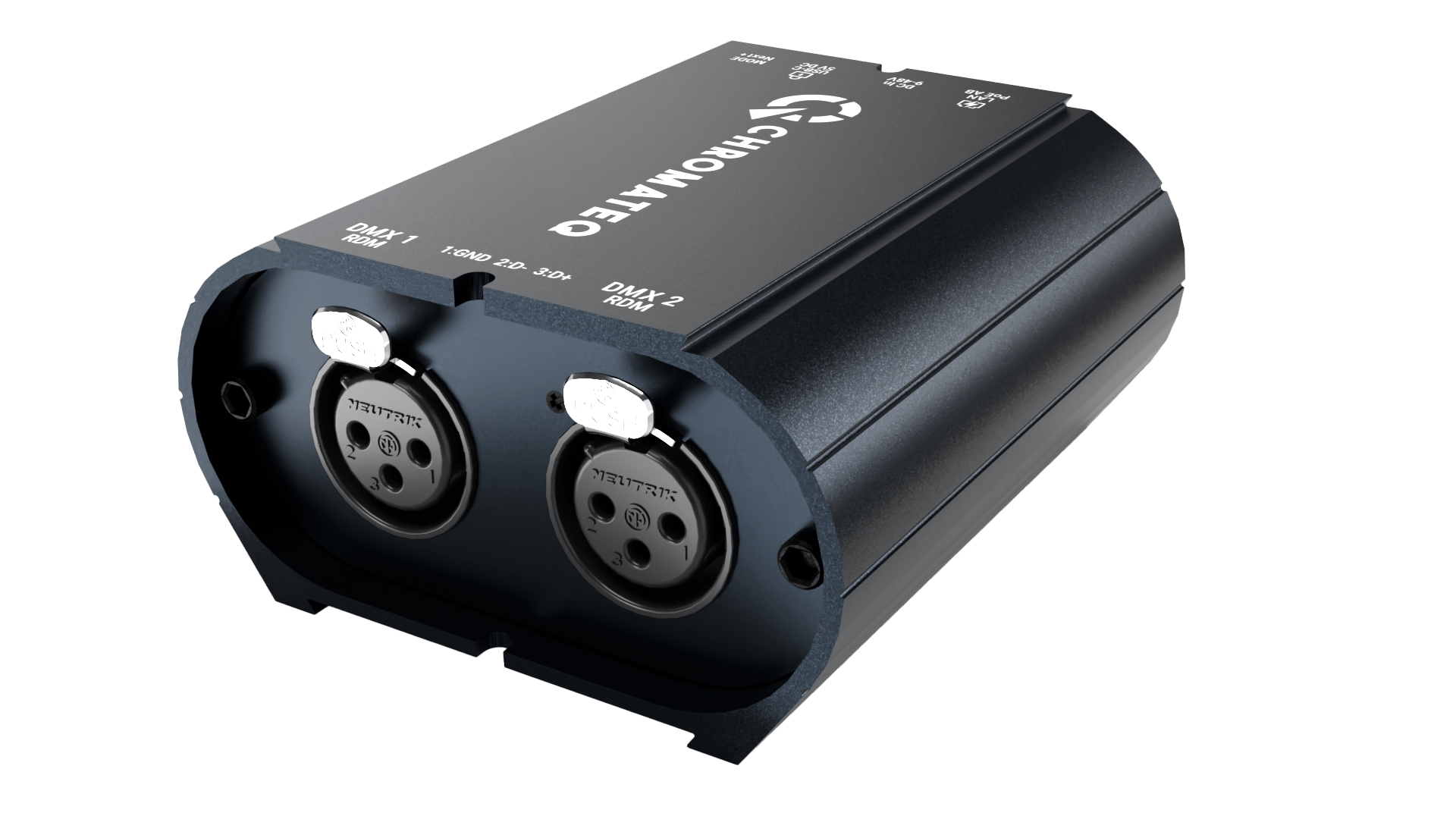
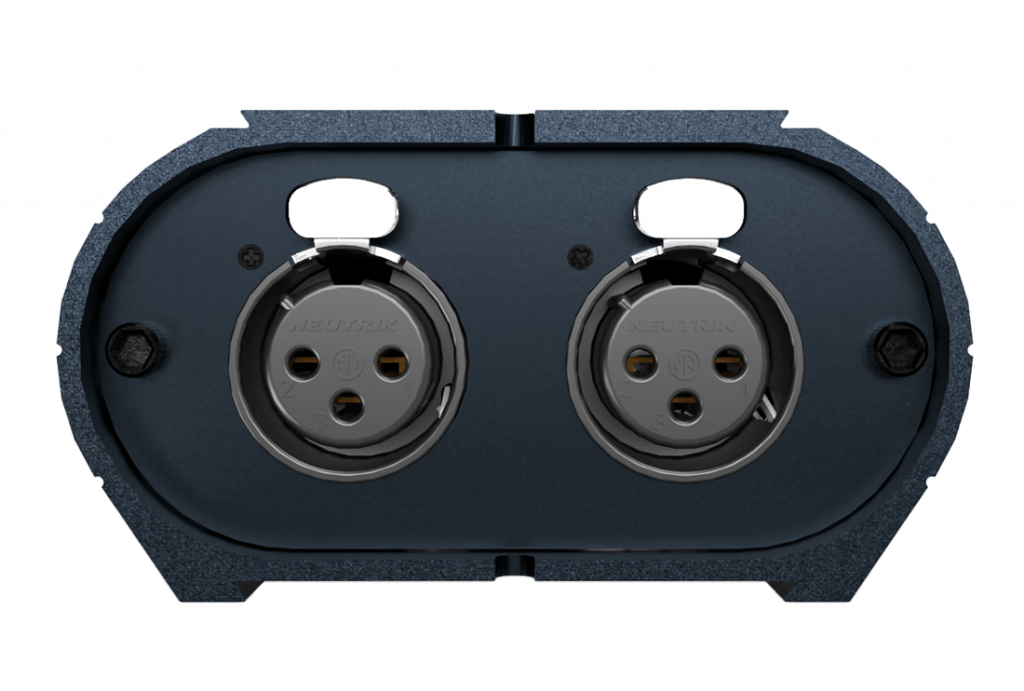
CLUB PoE front panel: DMX 1 and DMX 2 XLR connectors

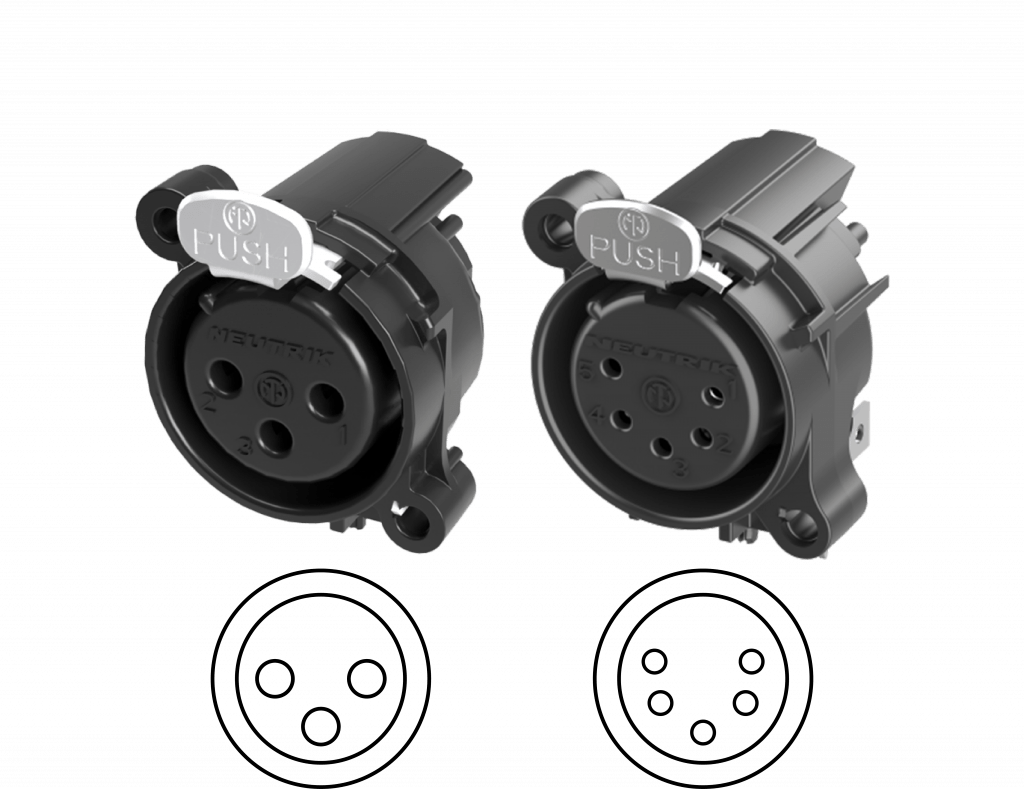
XLR
1. Ground
2. Data -
3. Data +

XLR
1. Ground
2. Data -
3. Data +
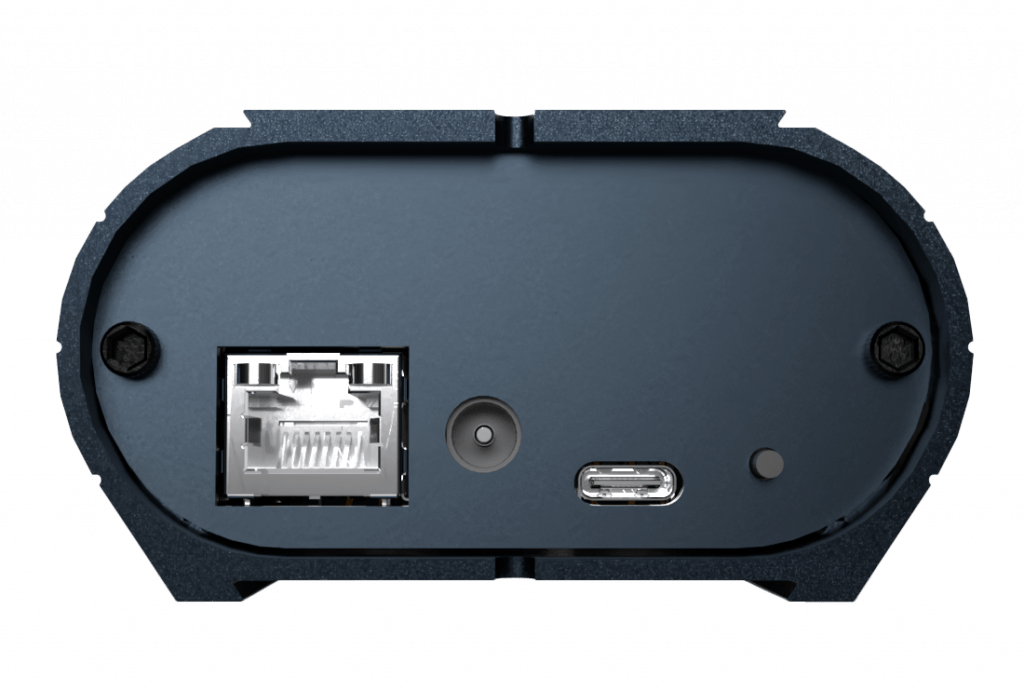
CLUB PoE rear panel: RJ45 PoE, 9-48 V DC jack, button and USB-C

RJ45 connector
PoE: A and B

Power supply 9-48V
DC input jack

Button
NEXT scene or NODE mode selection (hold 1s)

USB-C
5V. DC, 0.3A

Main features of the CLUB PoE

Ethernet PoE icon

Ethernet PoE / LAN

Fast communication on any local network, with DHCP or static IP. Power over Ethernet (IEEE 802.3af/at, PoE A and B) carries power and data on one RJ45 cable. Remote control from a phone or tablet with the Wi-Light app, through any Wi-Fi router on the same LAN or over the internet, included. Remote show and firmware updates: see Remote control and updates.

Art-Net and sACN to DMX icon

Art-Net 4, sACN to DMX

Decodes Art-Net 4 and sACN to 2 DMX-512 outputs in one device, with no separate decoder. Works with any lighting desk, media server or software that sends Art-Net or sACN.

Configurable DMX, Art-Net and sACN inputs and outputs icon

Flexible DMX and network I/O

In PRO DMX 2, each port is set individually: DMX A and DMX B as input or output, Art-Net or sACN ports as input, output or off, with one or more universes per port. The settings are stored for stand-alone mode: without a computer, the device sends a console's DMX to the network as Art-Net or sACN.

DMX / Art-Net / sACN merge

In node mode, two Art-Net sources can share the same DMX output, merged in HTP, LTP or LowTP (set in PRO DMX 2, DeviceTool or the web browser). In stand-alone mode, a DMX input can be merged into an Art-Net or sACN output, in HTP (set in PRO DMX 2).

Stand-alone and timeline icon

Stand alone and Timeline

Records and plays back DMX, Art-Net and sACN without a computer: 512 scenes, 20,000 steps, 5 scenes played at once. Starts at power-on and resumes the last scenes after a power cut. Outputs its 2 DMX universes and the same universes over Art-Net or sACN at the same time, live or stand-alone. Up to 30 minutes of audio and video timeline when connected (24 h with the FULL upgrade).

RDM-DMX icon

RDM-DMX Compatible

Two 512-channel DMX ports, DMX A (XLR 1) and DMX B (XLR 2), each set as input or output. RDM works in both directions with all RDM-compatible fixtures: discovery and real-time monitoring in the RDM tab of the PRO DMX 2 patch window.

PoE, DC and USB-C power icon

Triple‑power

PoE A and B, 9–48 V DC jack or USB-C (5 V, 0.3 A): power from the network, a local supply or a computer. Consumption: 1.3 W.

5-year warranty icon

International Warranty

5-year international warranty and worldwide technical support in English, French and Chinese. Mounting strap included. XLR 3-pin, or 5-pin on request.

How the CLUB PoE connects

One device, 5 roles

Live DMX interface for PRO DMX 2 and PIXXEM, stand-alone controller, Art-Net / sACN to DMX node, DMX to Art-Net / sACN converter through flexible port configuration, and DMX / Art-Net / sACN merger.

CLUB PoE connectivity: USB-C to a computer, PoE Ethernet to the network and the internet, two DMX-RDM ports to fixtures and consoles

Discover and compare Chromateq devices.

Operating modes

Live Mode

CLUB PoE live mode: computer connected by USB-C or Ethernet, DMX fixtures on both ports
  1. Install the latest software and USB drivers.
  2. Connect the unit by USB-C, or to the network by RJ45.
  3. Start the software: the interface is detected (green LED flashes fast over USB; yellow LED flashes over Ethernet).
  4. Patch your DMX fixtures.
  5. Program scenes and sequences.
  6. Play your show.

Stand Alone Mode

CLUB PoE stand-alone mode: powered by PoE, DC or USB-C, playing scenes without a computer
  1. Program scenes in live mode.
  2. Click Save in memory.
  3. Close the software.
  4. Power the unit by USB-C, DC jack or PoE.
  5. The default scene starts (green LED flashes slowly).
  6. Select scenes with the NEXT button, DMX In, UDP, the web page or Wi-Light.

Node Mode

  1. Connect to the network by RJ45, power by PoE or DC.
  2. Set the IP: DHCP by default, or static.
  3. Art-Net: set Short Name, Long Name, SubNet and Universe.
  4. sACN: choose the universe of each output.
  5. Select node mode in the software, DeviceTool, or hold the button 1 s.
  6. Restart the unit after any IP or mode change.

In / Out Stand Alone Configuration

  1. In PRO DMX 2, open In / Out Config and choose the protocol: Art-Net or sACN.
  2. Set DMX A and DMX B to IN or OUT, and each Art-Net / sACN port to IN, OUT or OFF.
  3. For each network port, choose the first universe and the number of universes (for example U1–U2).
  4. To send a DMX input to the network, tick Merge DMX A or Merge DMX B on a network output: the DMX input is merged in HTP with the show universe.
  5. Click Save in memory: the routing then runs in stand-alone mode, without a computer.
  6. Apply live I/O config restores the default: all ports as outputs.
PRO DMX 2 In / Out configuration: DMX inputs A and B merged into Art-Net outputs 1 and 2
download

Compatible Software

The CLUB PoE works with all current Chromateq software, in scalable systems for live shows and fixed installations, or on its own, without a computer.

PRO DMX 2

Live lighting control and stand-alone programming.

PIXXEM

Pixel mapping, DVI capture and video.

STUDIO DMX

Real-time 3D viewer.

WI LIGHT

Free iOS and Android app: commands over the local network or the internet.

All our Lighting Management Software are Free and require a Chromateq™ Device or Interface or License to transform your computer into an impressively adaptable and effective DMX Controller.

CLUB PoE specifications

Hardware & DMX (Software & Live) CLUB PoE
Retail price (excluding VAT) €399 / $469 · upgrades: see Software Options
PRO DMX 2, PIXXEM (DMX channels) 1024 (2 × 512 – In / Out, 2 U)
International warranty 5 years
Ethernet (10–100 Mbps), 100BASE-TX, IEEE 802.3af/at Yes (PoE A and B, LAN)
USB-C Yes (5 V DC, 0.3 A)
Max connected devices 10 (USB, 20 DMX universes) / 128 (Ethernet, 256 Art-Net universes)
RDM (Remote Device Management, bi-directional DMX) Yes, PRO DMX 2, PIXXEM
Dimensions (mm / in) H 90 (3.54) · W 80 (3.15) · D 45 (1.77)
Weight / operating temperature / certification 0.19 kg (0.42 lb) / −40 to +85 °C / CE, FCC, RoHS, UKCA
Housing Brushed anodised aluminium, IP40
Stand Alone
DMX out 1024 (2 × 512, 2 U)
Scenes played simultaneously 5
NODE (Art-Net and sACN to DMX) 2 × 512 out per interface
I/O configuration (set in PRO DMX 2) DMX A / B: IN or OUT · Art-Net / sACN ports: IN, OUT or OFF · several universes per network port · DMX to Art-Net / sACN
Merge Stand alone: DMX In into Art-Net / sACN out, HTP · Node: 2 Art-Net sources on one DMX output, HTP, LTP or LowTP (PRO DMX 2, DeviceTool, web browser)
Auto start / scene recovery after power cut Yes / Yes
Wi-Light app: remote, commands, configuration Yes (LAN and internet, included)
Simultaneous terminals (Wi-Light, web browser) Up to 10, status updated in real time
Over the internet Included: live control with PRO DMX 2 · stand-alone show update · firmware update
Power 5 V DC, 0.3 A by USB-C · 9–48 V DC by jack · PoE A and B · 1.3 W
Memory (Stand Alone)
Memory / step capacity 8 MB (64 Mbit) · 20,000 steps
Max scene capacity 512
Triggers (Stand Alone)
Button NEXT scene and mode selection (hold 1 s)
Infrared remote Optional, with the IR Kit (not included)
DMX In, Art-Net / sACN In Triggers and merge, 512 channels
Wi-Light app / API Yes (LAN and internet)
UDP protocol (third-party software, SDK) Yes, Ethernet triggers and commands

Software Options

One device, on-site upgrades. In live mode, the CLUB PoE outputs as many Art-Net / sACN universes as DMX universes: 2. Upgrades installed on site with DeviceTool unlock more: from 8 universes (U8U) up to 64 in PRO DMX 2 (U64U) and 512 in PIXXEM (U512U), with the FULL features included. FULL is also available on its own. Prices and details: Upgrades & Licenses.
Software CLUB PoE (standard) With upgrade
PRO DMX 2, PIXXEM, STUDIO (DMX channels) 2 × 512 per device (In / Out)
Audio, video timeline (PRO DMX 2, PIXXEM) 30 min 24 h (FULL*)
Wi-Light mobile app / API Software and device control over the LAN and the internet (included)
Worldwide technical support Yes: English, French, Chinese
Art-Net, sACN, DVI, DMX in / out
Art-Net, sACN output (PRO DMX 2, broadcast 45 U max) 2 U (same as DMX) 8 U (U8U) · 16 U (U16U) · 64 U (U64U and above)
Art-Net, sACN output (PIXXEM, broadcast 45 U max) 2 U (same as DMX) 16 U (U8U) · 32 U (U16U) · 128 U (U64U) · 256 U (U256U) · 512 U (U512U)
DVI resolution (PIXXEM) — From 128 × 128 (U8U) up to 1920 × 1080 (U512U)
Art-Net, sACN input: control, triggers, record, RDM 2 U 8 U (U8U) · 16 U (U16U and above)
DMX input: control, triggers, record Yes
Triggers
MIDI, RS232 (through the computer), DMX In, keyboard, hyperlinks Yes
MIDI control, audio beat, BPM, Wi-Light, UDP Yes
PC clock and calendar, MTC, SMPTE No Yes (FULL*)
Live timeline recording + multiple timelines No Yes (FULL*)
User interface customization Yes

*FULL: 24 h timeline + multiple timelines + live timeline recording + unlimited 3D + MIDI Time Code + SMPTE + PC calendar and clock triggers.

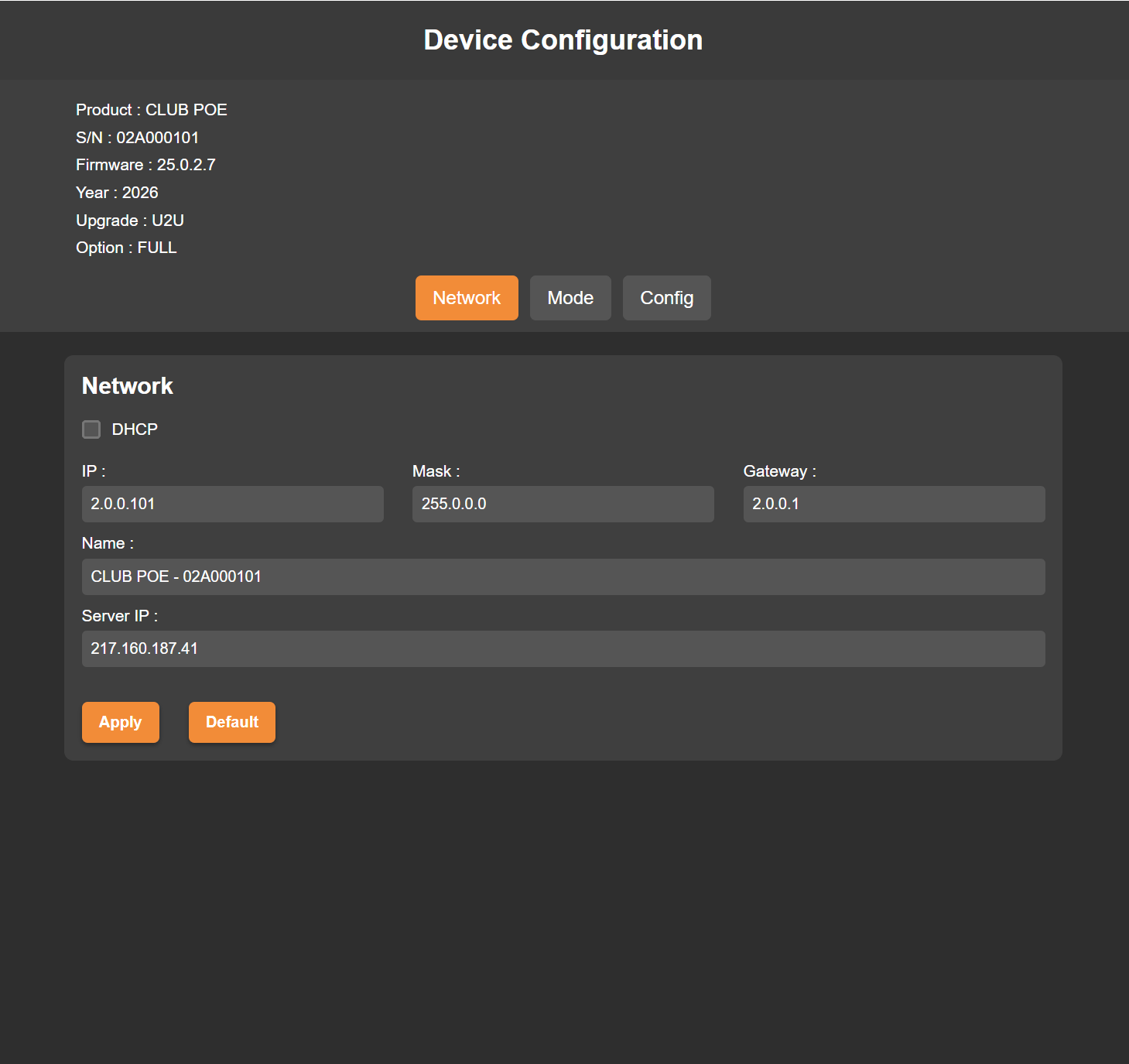
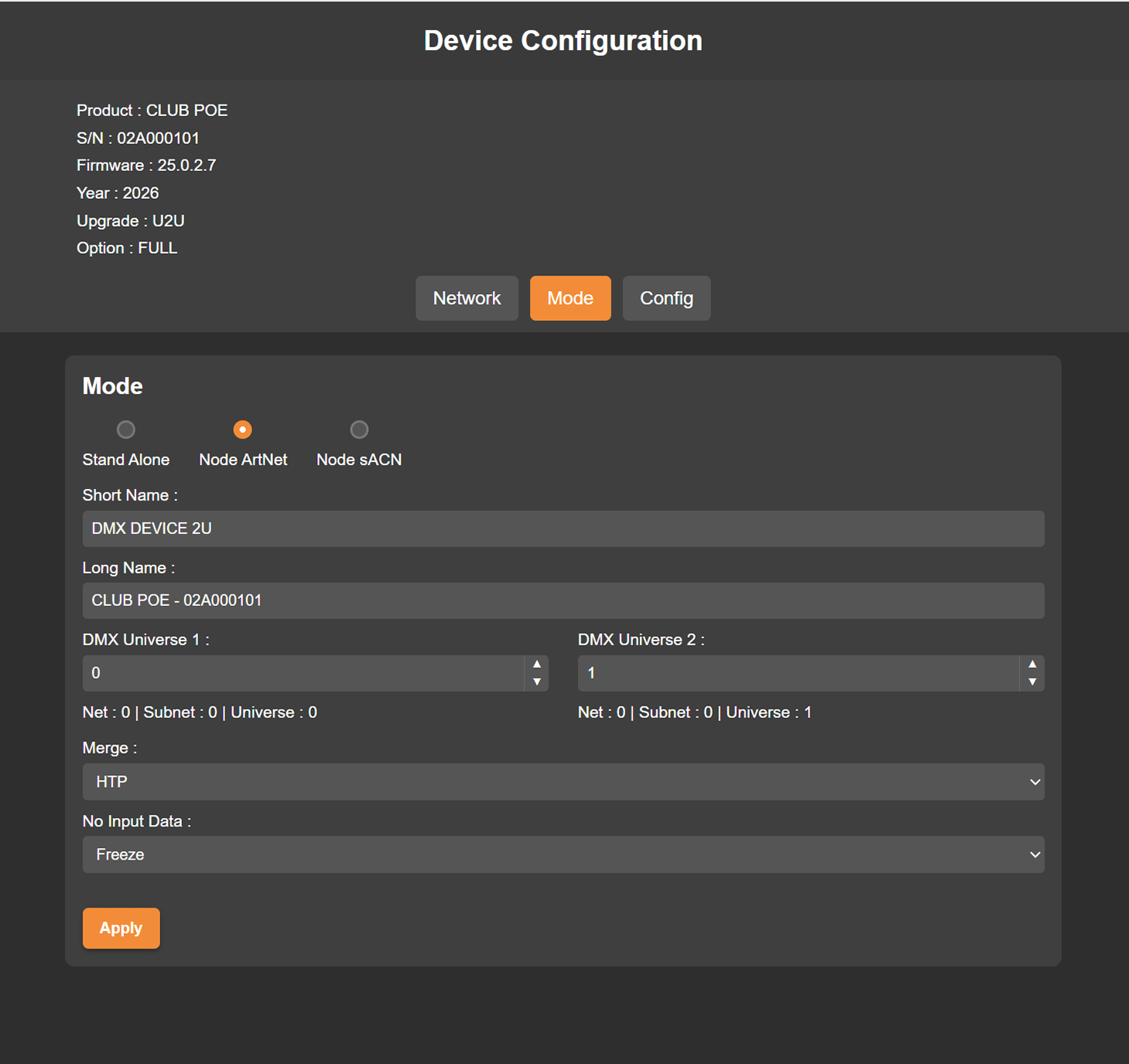
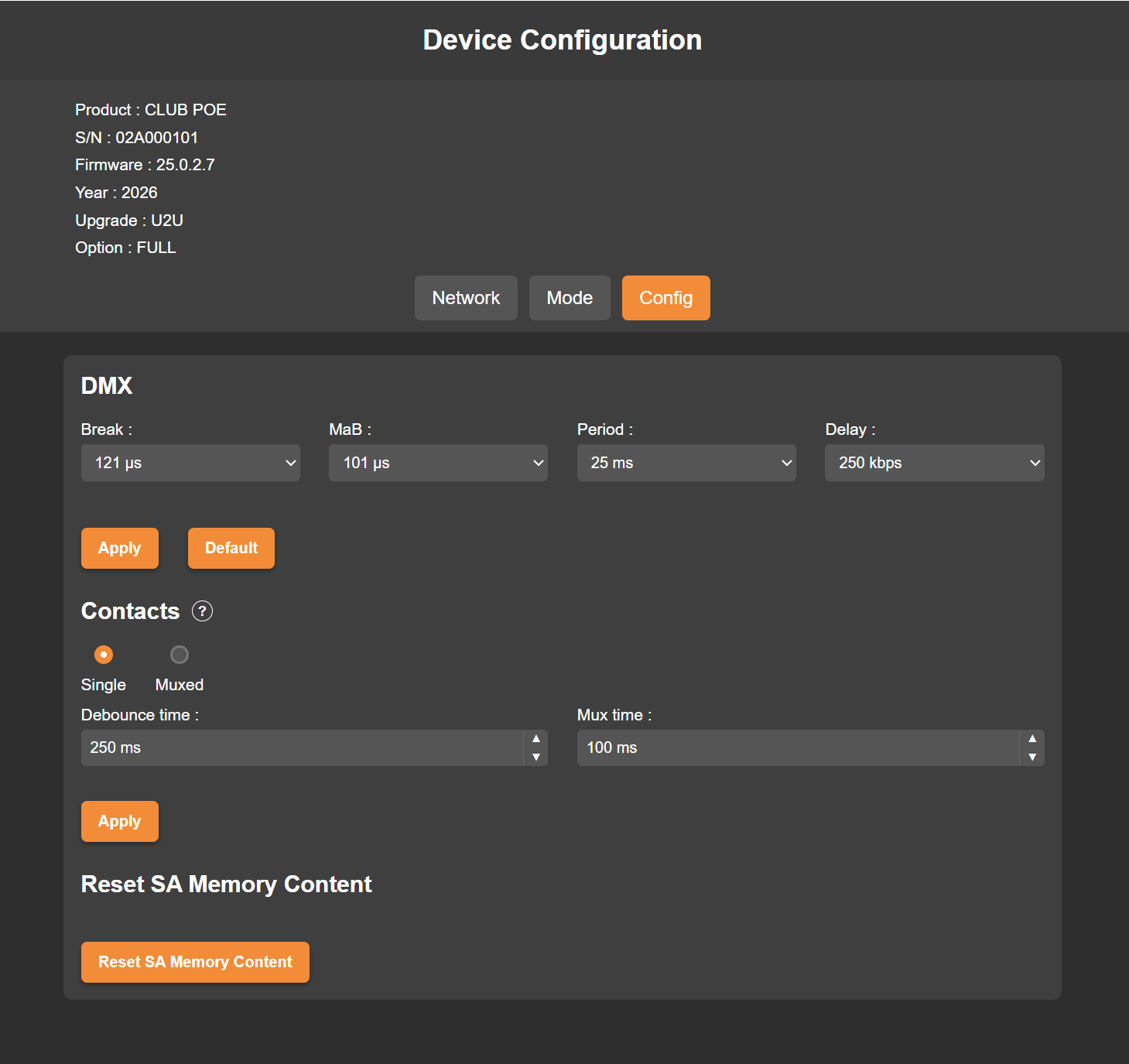
WEB BROWSER configuration

Connected by Ethernet, directly or through a Wi-Fi router, the device can be configured from any web browser.

3 ways to access it:

  • By its default IP address   –   e.g. http://192.168.0.5
  • By its serial number + .local   –   e.g. http://02a000101.local
  • By its generic name + .local   –   e.g. http://mydmxdevice.local


The device uses DHCP by default. Its default static address is 192.168.0.5 (mask 255.255.255.0): give the computer an address in the same range. Restart the device after any IP or mode change. 

Note: When several devices are connected to the same network, http://mydmxdevice.local access will open one of the device randomly.
To configure a specific unit, use its IP address or its serial number (.local).

Remote control and updates

The CLUB PoE remains controllable while it processes Art-Net and sACN. In node and stand-alone mode, UDP commands, the Wi-Light app, the web browser and the control software remain available and respond while Art-Net and sACN packets are received and processed.

  • Up to 10 terminals at once (Wi-Light app, web browser), with the device status updated in real time on each of them.
  • Web Remote over the internet: secured communication, faster than on the previous generation.
  • Live control with PRO DMX 2 over the internet.
  • Remote updates over the internet: stand-alone show and firmware, with a secured and reliable transfer.

All these functions are included with the CLUB PoE, with no upgrade or subscription.

DIN Kit - Universal Rail Mounting

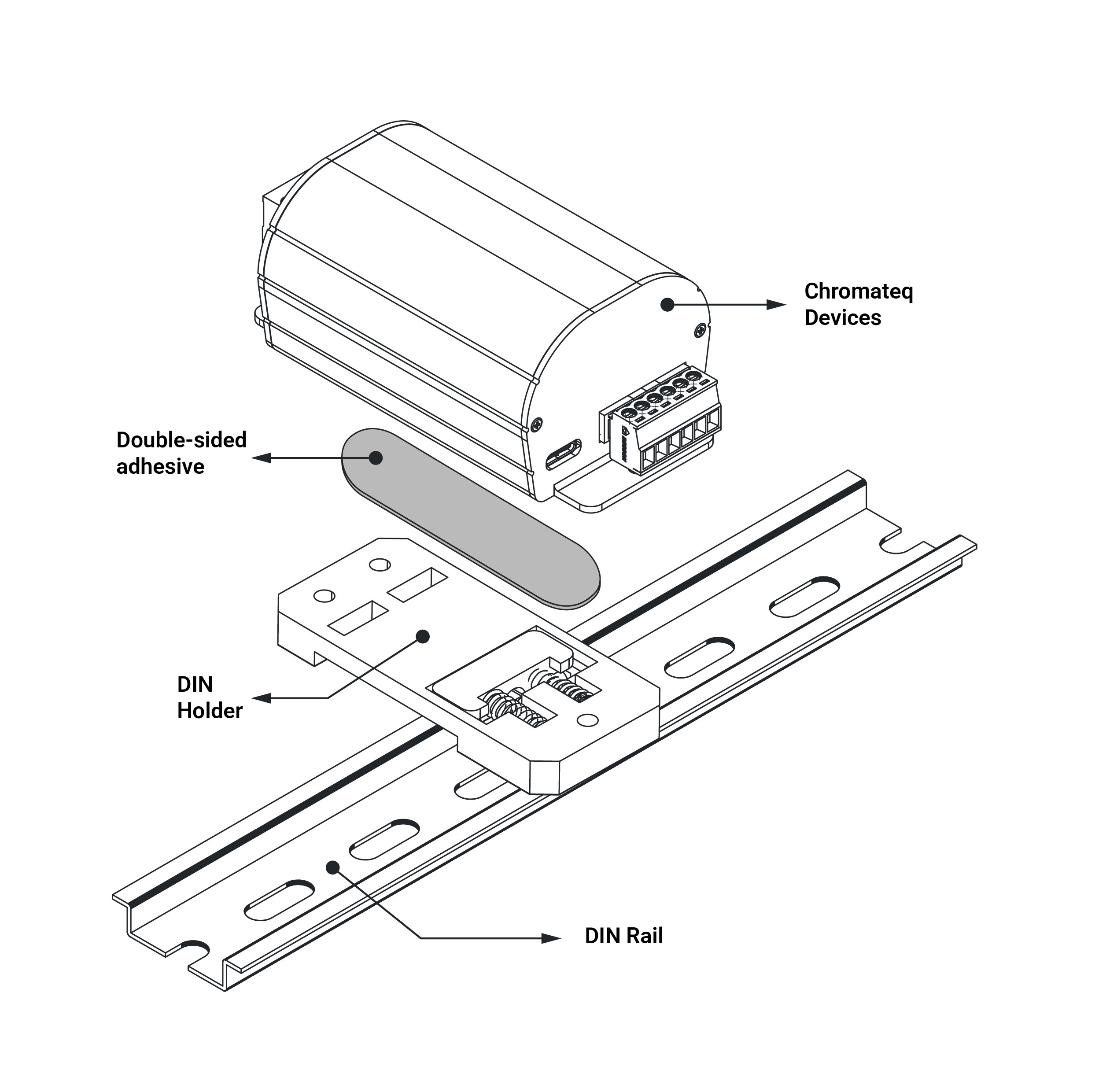
The DIN Rail Holder Kit is an easy and convenient mounting solution designed to easily attach any Chromateq devices to a standard DIN rail. Engineered for integrators, installers, and technical environments, it ensures a clean, secure, and reliable installation inside electrical cabinets, control panels, and industrial systems.

It is fully compatible with all Chromateq products, providing fast and seamless integration for projects requiring DIN rail mounting. The DIN holder is attached to the back of the case using a strong, sturdy double-sided adhesive (3M).

Available upon request when placing your order.
Price of the DIN Kit: 20€ (excluding VAT).

3 and 5 Pin XLR available 

All our XLR devices are equipped with a 3‑pin XLR connector, on request, each device can be supplied with a 5‑pin XLR connectors, upon request when ordering: this extends 2 to 5 days to the delivery time. XLR 5-pin must be indicated on the proforma.

Mounting Strap

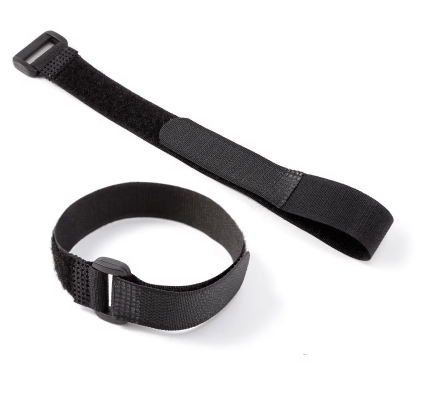
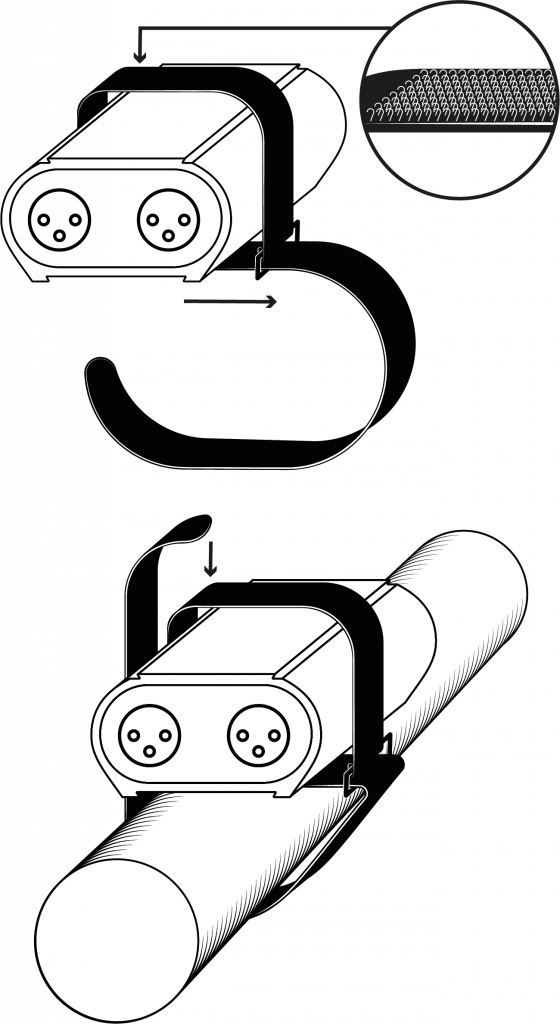
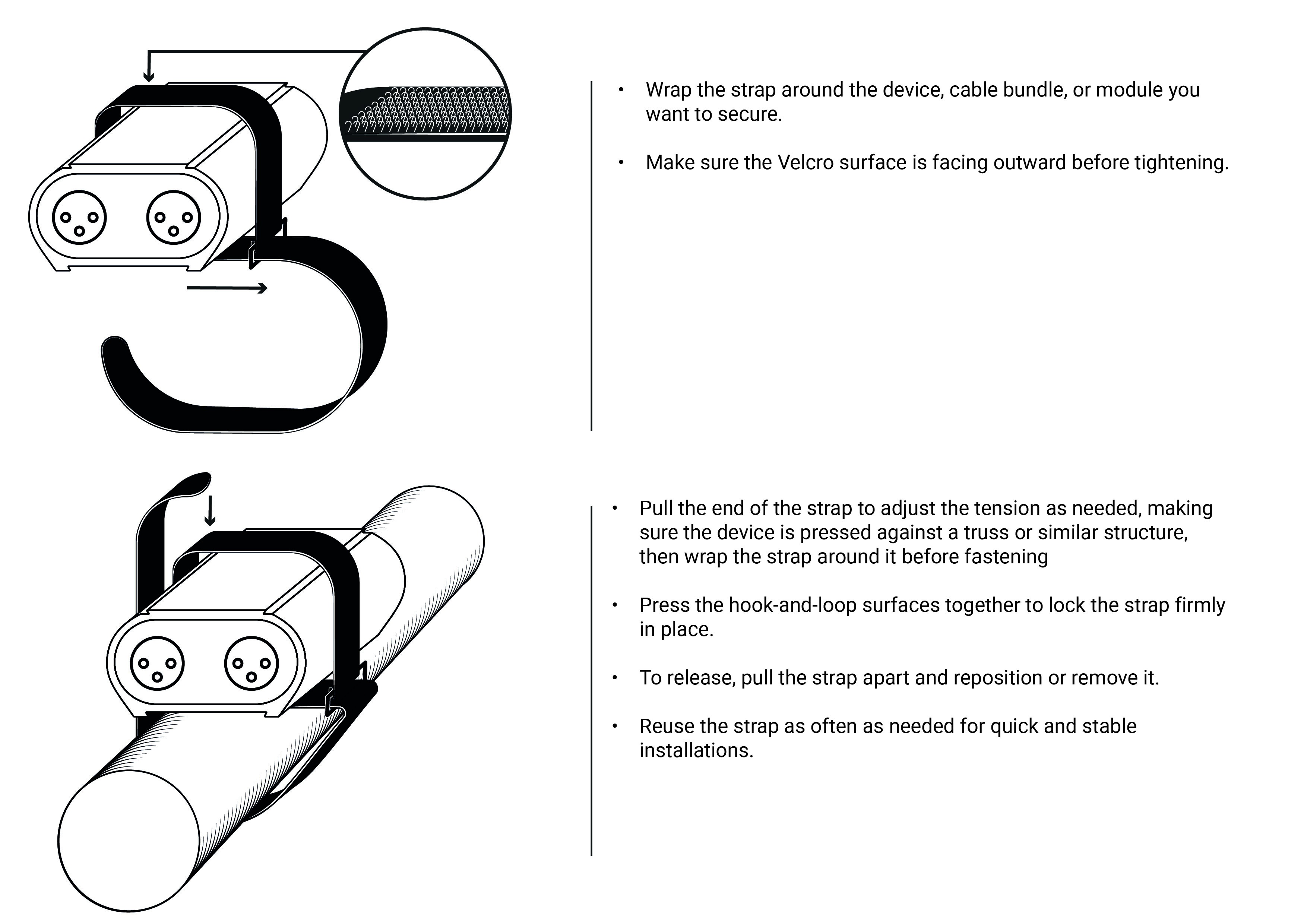
The mounting strap is a simple and practical accessory designed for quick and secure installation of your devices. Lightweight, reusable, and highly adaptable, it allows you to fasten or bundle cables and modules in seconds, no tools required.

Perfect for technicians and integrators on the move, it ensures a clean, stable, and well‑organized setup whether in a rack, flight case, or on-site installation.

Velcro Fastener – 40 cm – Included in the following packages: NODE PoE, CLUB PoE. Sold separately: €20 (excluding VAT).

40 cm hook-and-loop mounting strap
CLUB PoE fixed with the mounting strap

Club PoE: frequently asked questions

Can the CLUB PoE work without a computer?

Yes. Program scenes once in PRO DMX 2 and save them to the device: it plays them on its own, up to 5 at once, triggered by its button, DMX In, Art-Net / sACN In, UDP, the web page or the Wi-Light app. It starts automatically at power-on.

No. The CLUB PoE runs on PoE (A or B), on a 9–48 V DC supply or on USB-C.

Upgrades are installed on site with DeviceTool. FULL adds the 24-hour timeline, multiple timelines, live timeline recording, MIDI Time Code, SMPTE, PC calendar triggers and STUDIO LUX FULL. U8U to U512U unlock more Art-Net / sACN universes, with FULL included: up to 64 in PRO DMX 2 and 512 in PIXXEM. Prices are on the Upgrades & Licenses page.

Yes, in stand-alone mode. In PRO DMX 2, set the CLUB PoE’s DMX port as an input and tick its merge on an Art-Net or sACN output, then click Save in memory: the device sends the DMX input to the network without a computer.

Yes, in node mode. The CLUB PoE merges two Art-Net sources on the same DMX output in HTP, LTP or LowTP, set in PRO DMX 2, DeviceTool or the web browser.

In live mode, the CLUB PoE is driven by PRO DMX 2 and PIXXEM over USB-C or Ethernet. In node mode, by any Art-Net 4 or sACN source: lighting desk, media server or software.

Up to 128 CLUB PoE units in live mode over Ethernet. In node mode, up to 512 in broadcast and 3,072 in unicast.

Yes. Over the internet, you can update the stand-alone show and the firmware, and take live control with PRO DMX 2. Up to 10 terminals (Wi-Light app, web browser) can connect at the same time.

Support and Download

Below you will find all the documents and files related to the device and Chromateq lighting control products.
(Certificates, user manuals, datasheets, photos, 3D object file, and more…)

Device documentation